Creator storefronts: your rate card, with a booking button
Creators can now list sponsored posts, videos and newsletter spots with their prices on a free storefront, take requests from any brand, and book tracked deals with brands on OpenPartner that pay on approval. A walkthrough of an example storefront, end to end.
Not every deal a creator does is a commission. A lot of them start with a DM that says “what are your rates?”, go back and forth over email for a week, and end with a flat fee for one video or one newsletter slot. Unless someone sets up tracking, nobody knows what that post actually drove, and the next negotiation starts from zero.
Creator storefronts fix the first half of that and most of the second. A storefront is a public page where you list what you sell to brands, with your prices. Any brand can send you a request from it. Brands that run their program on OpenPartner can book you as a tracked deal: you post with a tracked link, they approve the post, and they pay you through their program, the same way they pay commissions.
It’s free. OpenPartner takes nothing from creators, on bookings or on commissions.
Below is a walkthrough of an example storefront, from the page a brand sees to the money landing in your earnings.
The storefront in these screenshots is an example we set up with demo data. Ada Reyes and the brands that book her are made up.
What a brand sees
Here’s Ada’s storefront. Ada writes about AI and productivity tools for small teams on
YouTube, a weekly Substack and LinkedIn. Every storefront lives at
app.openpartner.dev/creators/<handle>, and it’s the one link you put in your bio as
“work with me”.
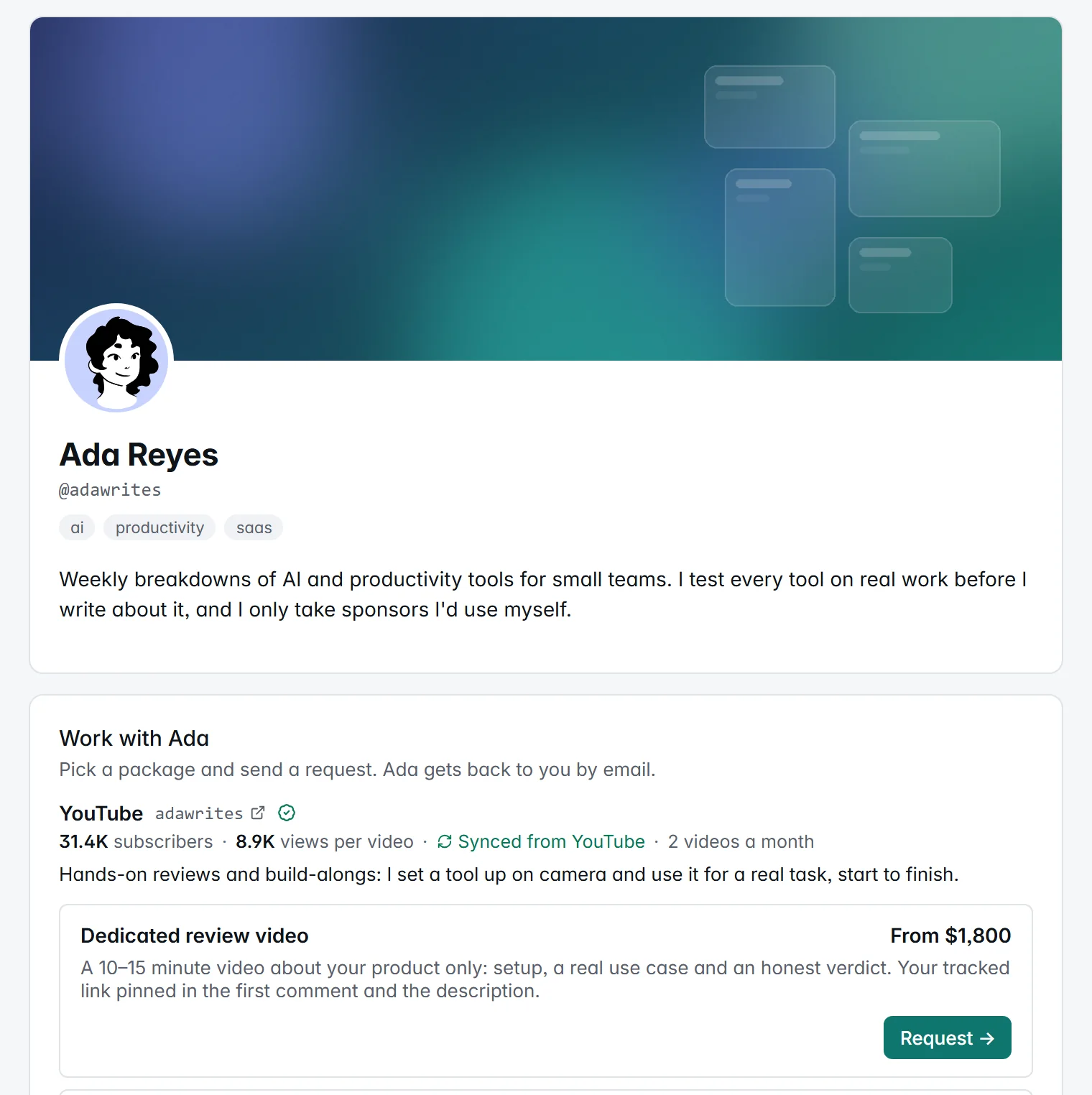
The page is organised by channel, because that’s how brands buy. Each channel shows its handle, audience size, how often Ada publishes, and a short pitch in her own words. Under it sit the packages for that channel.
A few details worth pointing out:
- Verified numbers are marked as verified. Ada’s YouTube channel is verified, so its subscriber count and median views per video are synced from YouTube. Her Substack and LinkedIn numbers are labelled Self-reported. Brands can tell the difference at a glance, and you don’t have to screenshot your analytics for every pitch.
- Three ways to price. A fixed price ($750), a starting price (From $1,800), or Price on request. Each package can be in its own currency: USD, EUR, GBP, CAD, AUD, INR, JPY, BRL, MXN or SGD.
- Bundles have their own home. Anything that isn’t tied to one platform, like Ada’s launch bundle or a live workshop, goes under Across channels, after the channels.
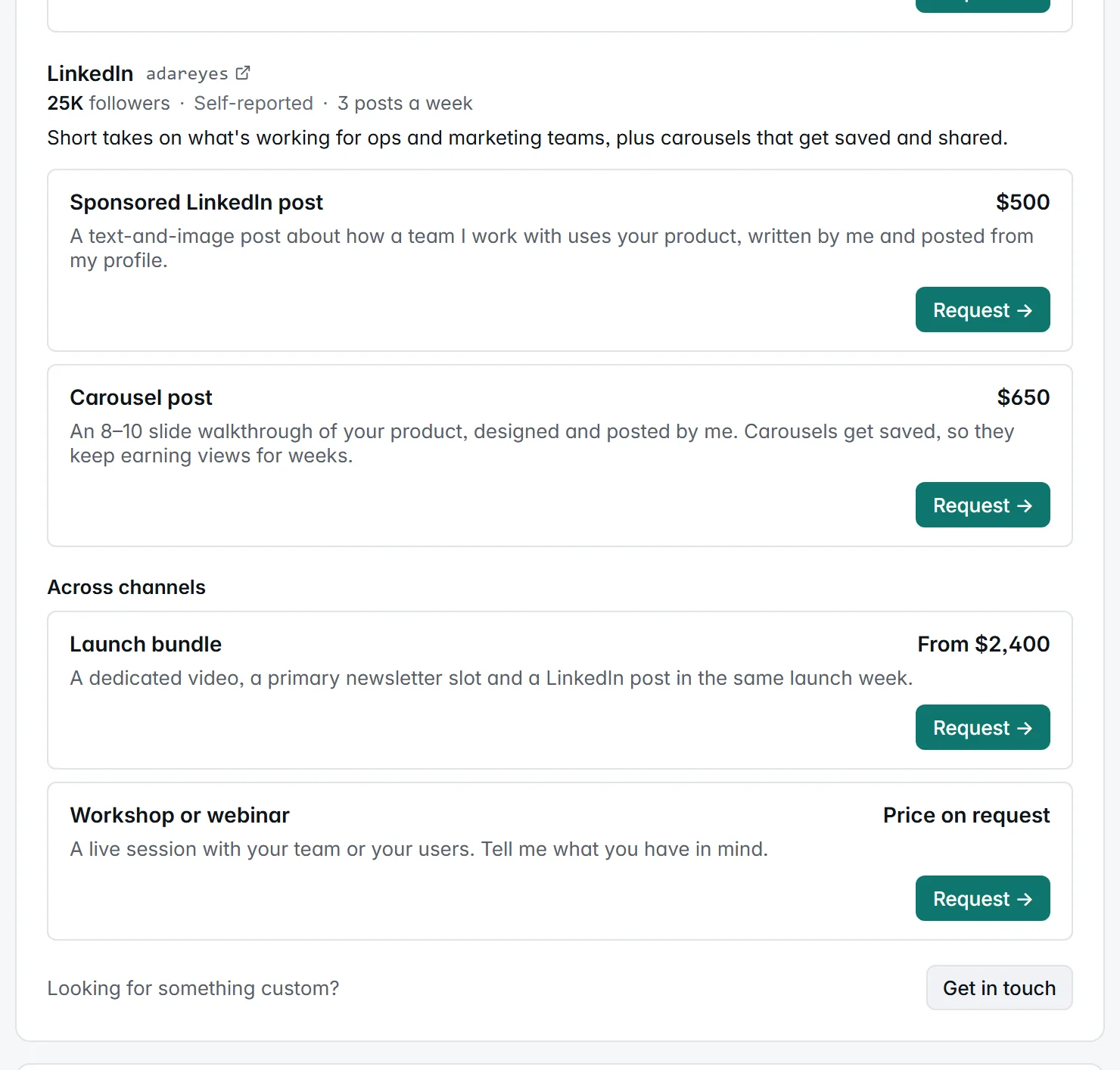
Below the packages, the rest of the profile fills in the picture: audience size, top countries and age range, links to sample work, and past collaborations. Your public page and your marketplace card never show your drafts, your email address, or your performance stats.
Two ways brands book you
1. A request from anyone
Any brand with your link can send a request, with no account. They pick a package (or Get in touch for something custom) and fill in a short form: name, work email, what they have in mind, and optionally their company, website and budget.
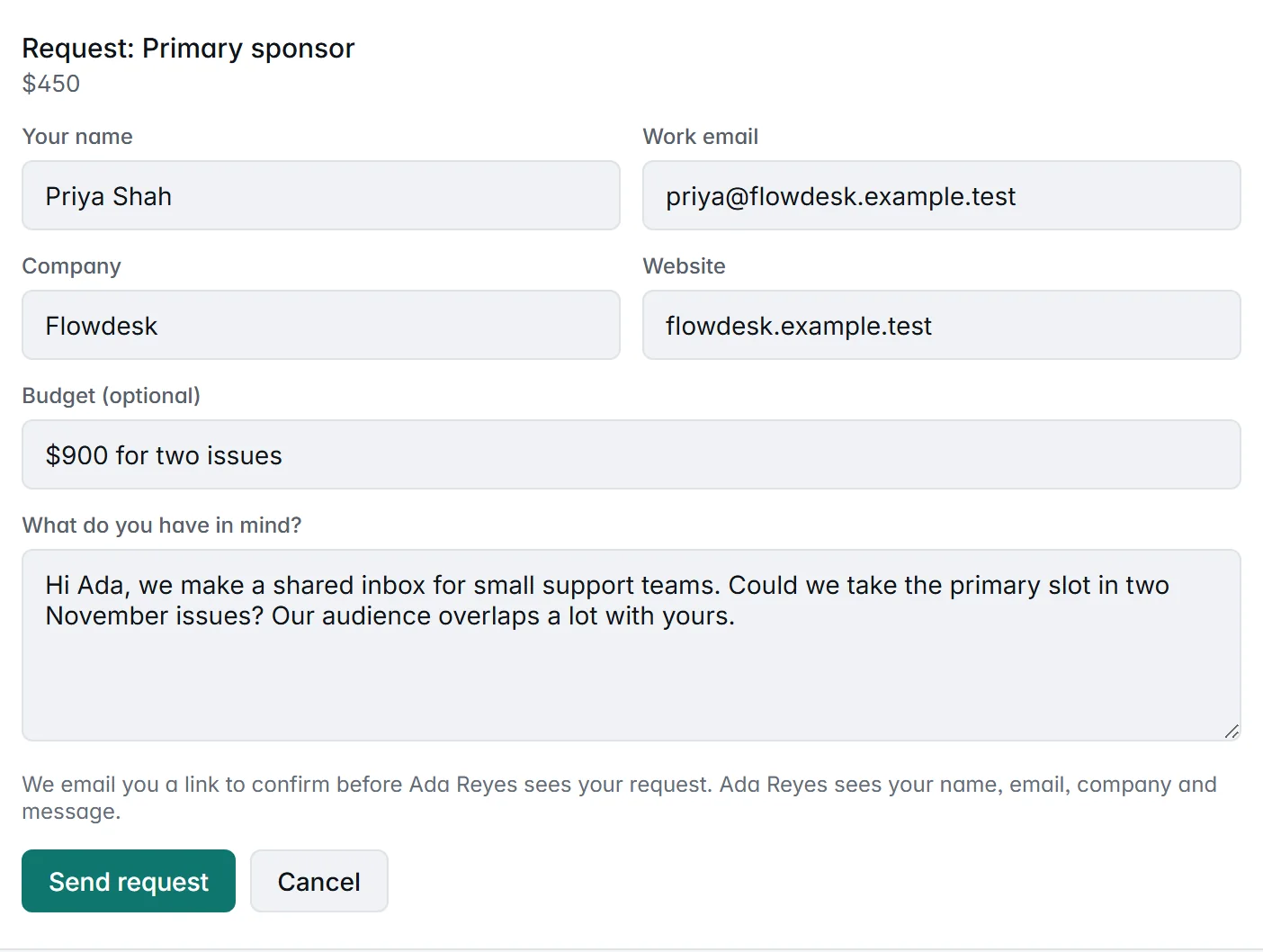
Two things keep this from turning into a spam inbox:
- The sender confirms their email first. We email them a link, and the request only reaches you once they open it and click Confirm and send. Unconfirmed requests never reach you and are deleted after 7 days.
- Limits on repeat and bulk senders. One open request per sender, plus daily and hourly caps per email, per IP and per creator.
When you accept, the brand gets your answer and any note you add, and the email’s Reply-To is your address, so the conversation moves to your inbox. From there you agree the details and payment directly. When you decline, your email address isn’t shared.
2. A tracked deal from a brand on OpenPartner
This is where a storefront on OpenPartner differs from a booking page on its own. A brand that runs its partner program on OpenPartner can book you from its own dashboard: it picks one of its programs, optionally one of your packages, writes a brief and sets the amount it’ll pay. There’s no email step, because the brand is already signed in.
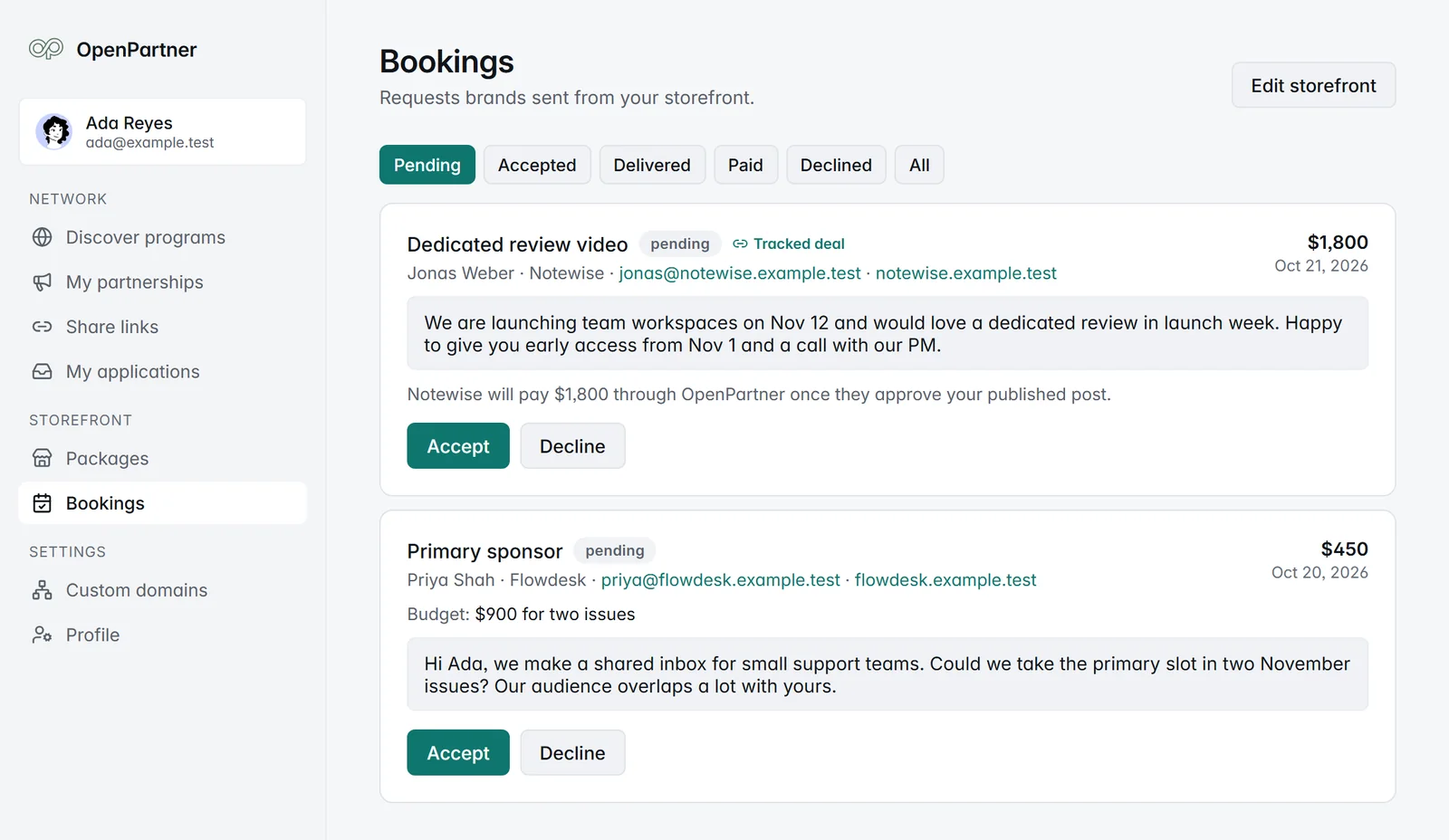
Here’s how a tracked deal runs:
- Accept. You become the brand’s partner on that program, with a tracked link, exactly as if you’d applied and been approved. Already partnered with them? The booking uses that partnership.
- Post and deliver. Put the tracked link in your post. When it’s live, click Deliver and paste the links to the published content.
- The brand reviews. It sees checks on each link to help it decide. For YouTube videos and pages on your own website, the checks show whether the post is on your verified account and includes your tracked link, and flag a post that went up before you accepted. The checks inform the review; they never block approval. The brand also sees the clicks your link has had since you delivered.
- The brand approves. The agreed amount is added to your earnings with that brand, and it’s paid out on the brand’s payout schedule, the same way your commissions are.
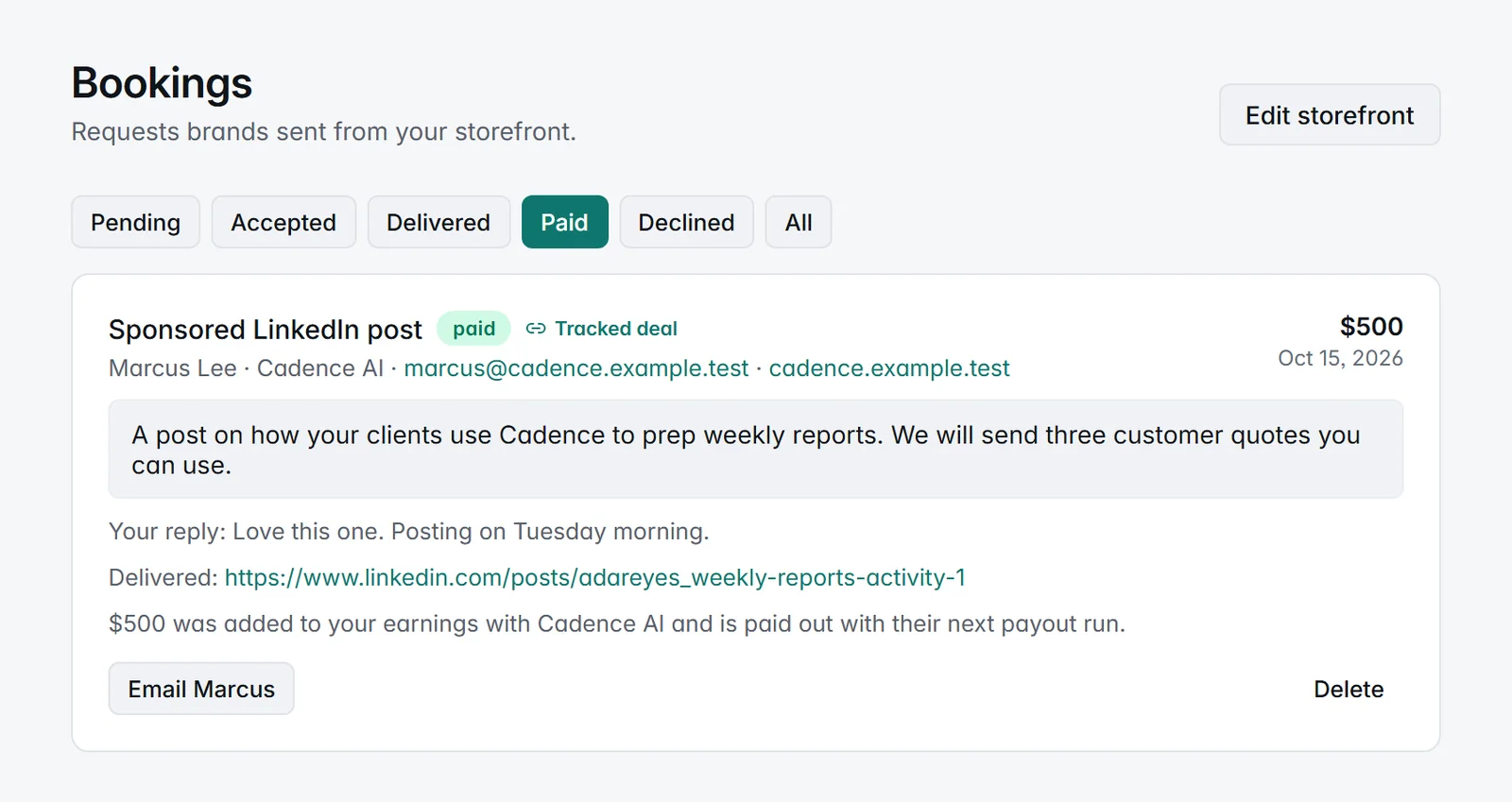
Two things make this better than a flat fee over email.
The results are on the record. Because the post carries your tracked link, the clicks, conversions and revenue it brings in are recorded against your partnership with the brand. The brand sees them, and so do you, on that program’s page in your dashboard (along with anything else you’ve shared the same link in). The next time you pitch, you’re quoting results, not follower counts.
The partnership outlives the booking. Your tracked link keeps working on the program’s usual terms after the deal is done. If the brand pays commission, sales your post drives next month still earn you commission. You get the flat fee for the post and the long tail.
Listed where brands are looking
Your storefront is listed in the creator marketplace, next to the brand programs, once three things are true: your profile is complete (so you have a public page), bookings are on, and at least one package is published. There’s nothing extra to sign up for: turning bookings on is the opt-in.
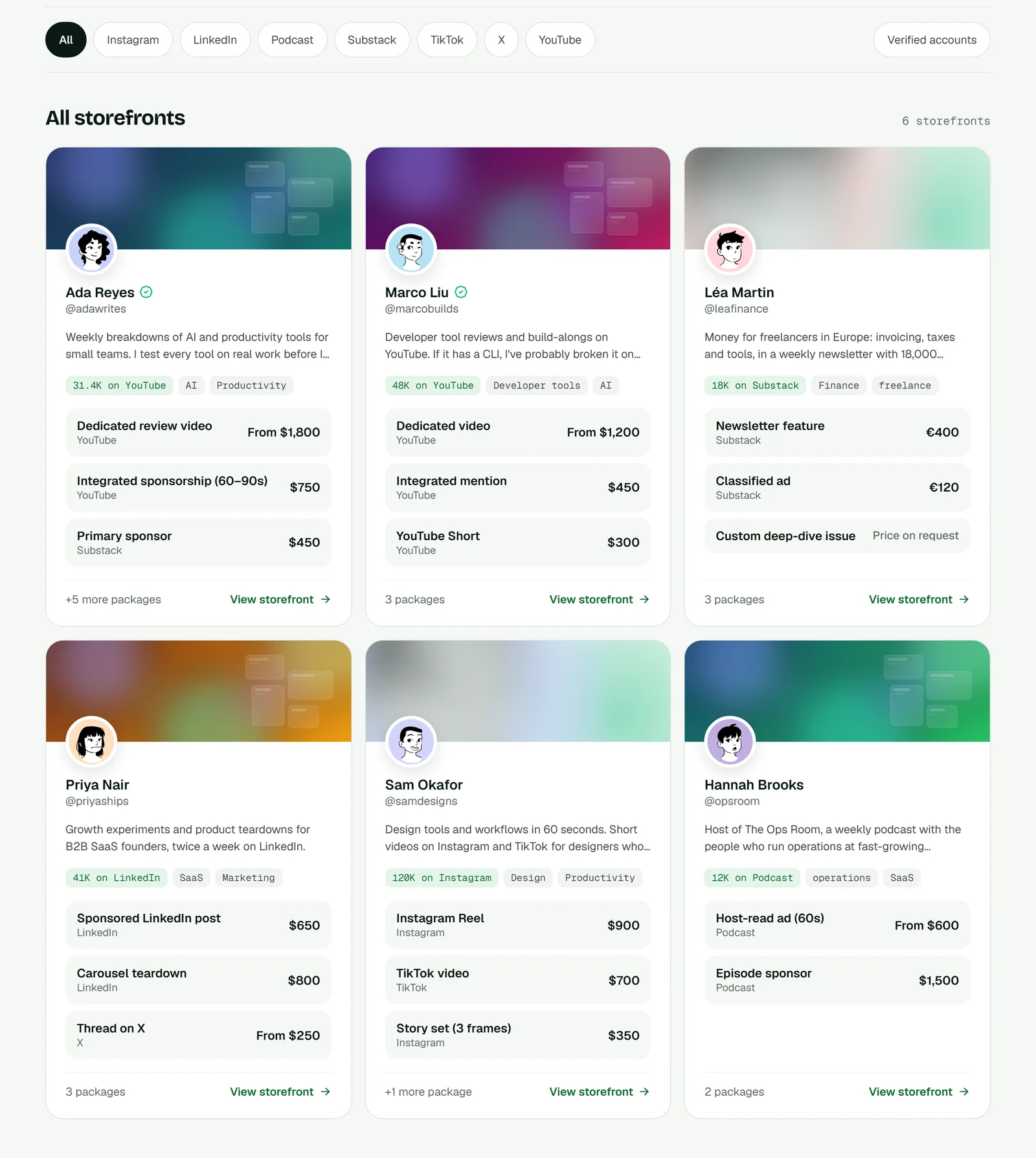
Your card shows your banner, bio, audience on your biggest platform, your first two categories and your first three published packages. Storefronts whose packages were updated most recently come first. Pause bookings and you’re off the list until you turn them back on, with everything saved.
Setting one up
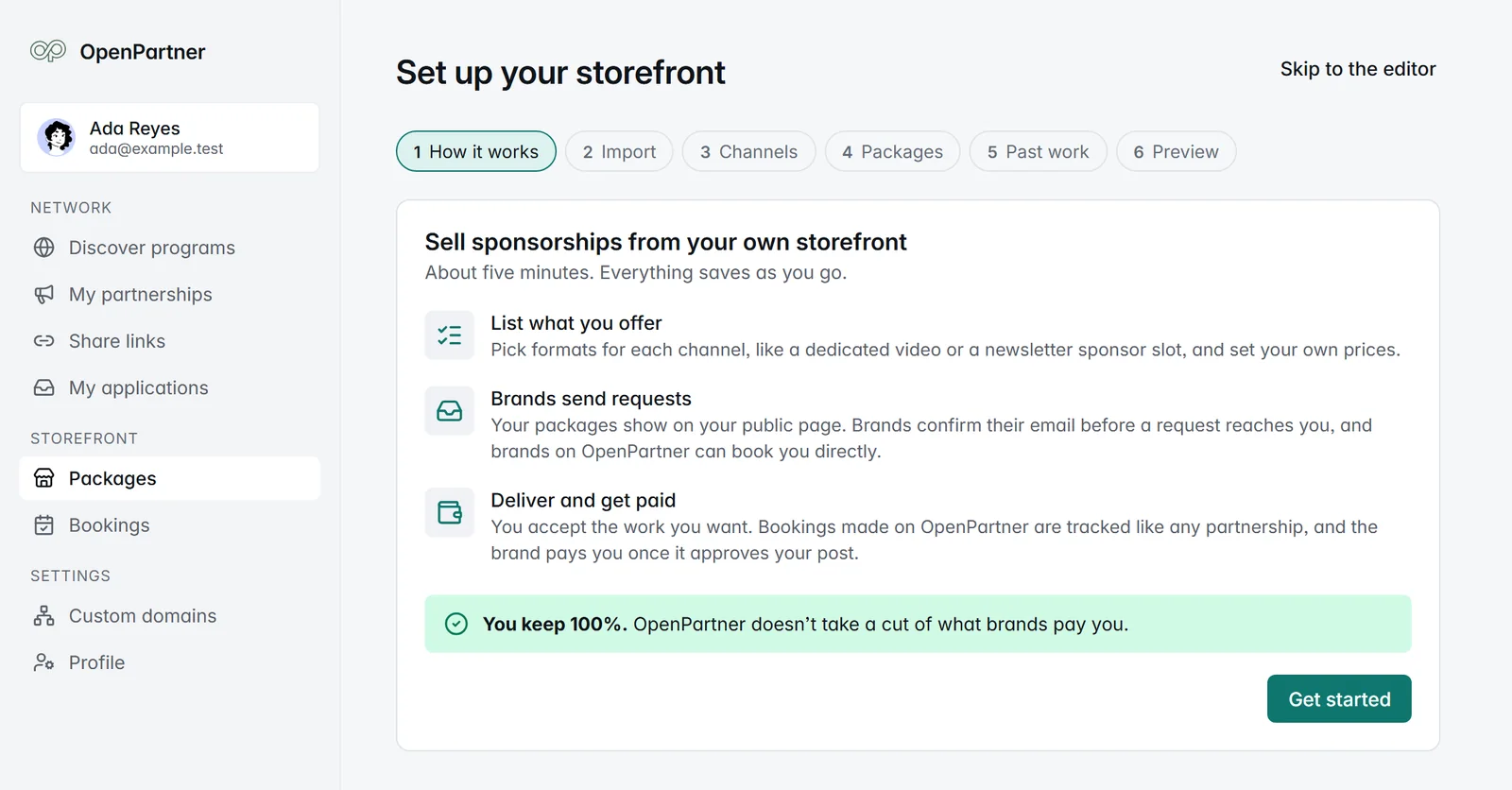
Sign up as a creator, and Guided setup walks you through it in about five minutes: how it works, channels, packages, past work, and a preview before you go live. Everything saves as you go.
Coming from Passionfroot? Paste your Passionfroot page and we’ll bring over your channels, packages and past collaborations, so you don’t retype them. We only read your public page, nothing is saved until you choose what to import, and packages come in as drafts so you can check them before they go live. Bookings, conversations and payouts stay in Passionfroot, behind your login there.
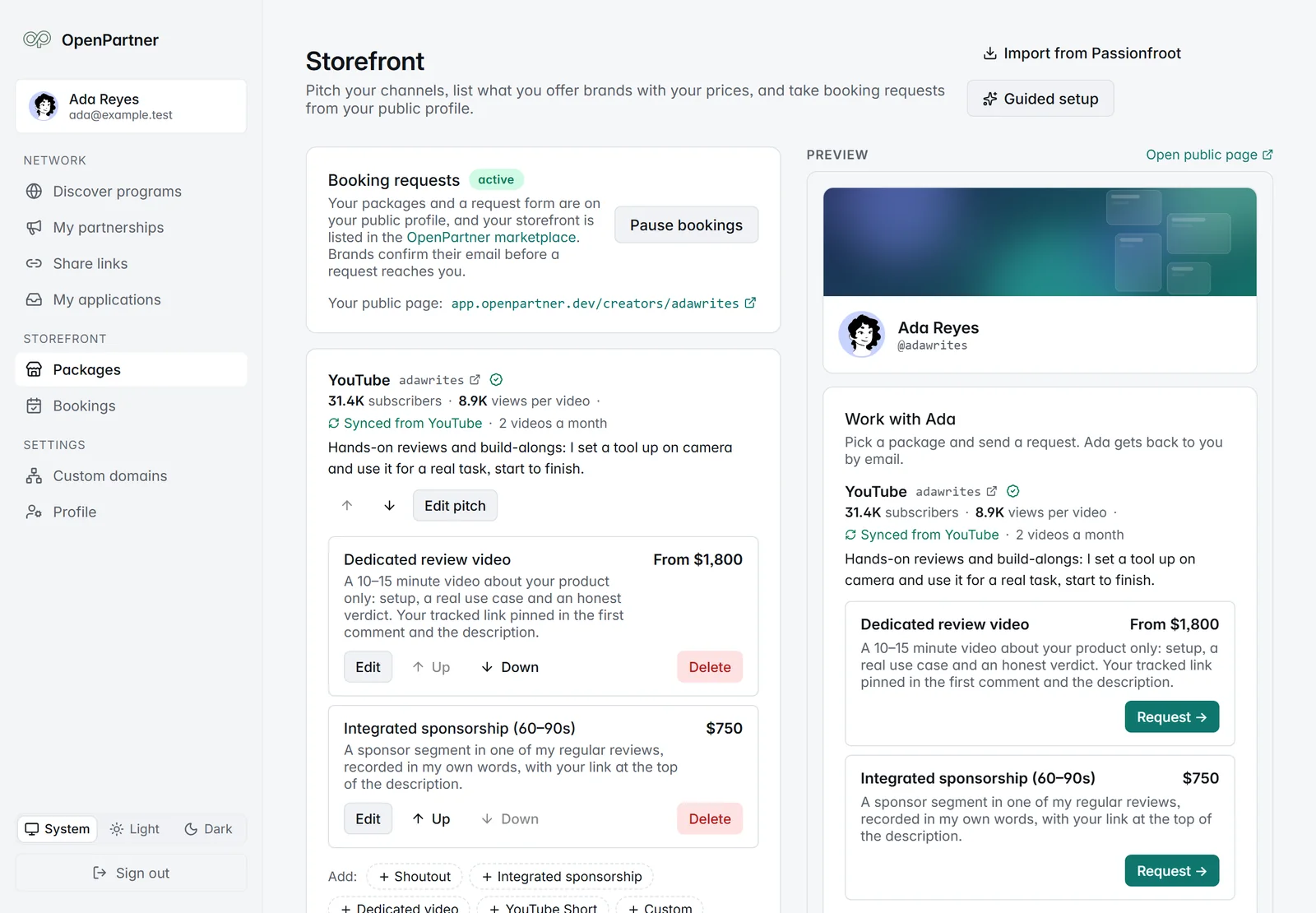
After setup, the editor is where you’ll live. Packages are grouped by channel, with templates for each platform’s common formats: an integrated sponsorship or a Short on YouTube, a primary sponsor slot on Substack, a carousel on LinkedIn. Templates fill in the wording, never the price. The right-hand side is a live preview of your public page.
What it costs
Nothing, for creators. No fee on packages, requests or bookings, and no cut of what brands pay you. On a tracked deal, any platform fee is billed to the brand, never taken out of your amount. A request you settle directly with a brand happens outside OpenPartner and carries no fee for either of you.
It also doesn’t replace commissions. Promote brand programs on commission and sell flat-fee posts from the same profile.
For brands
If you run your partner program on OpenPartner, the creator marketplace is now a place to find creators with their prices already on the page. Book a package from your dashboard, and the creator posts with a tracked link into your existing program. You approve the post with the delivery checks in front of you, and the creator is paid through your program, the same way as your commissions. No separate invoice, no separate tool, and the results show up in the same reports as every other partner.
Get started
- Creators: set up your storefront. It’s free, and you can pause it any time.
- Read the details: the storefront guide covers every limit and setting.
- Evaluating brand programs too? Here’s what to look for before you promote one.